
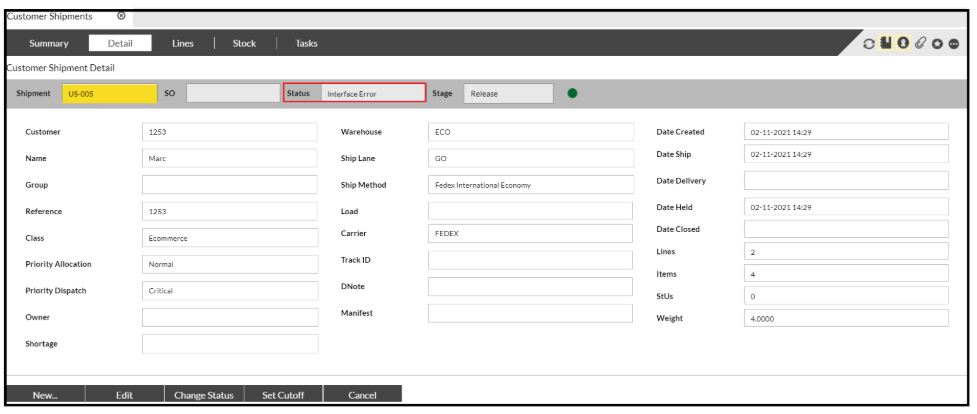
To remedy this, you can do it one of two ways.
Method 1
From the above screen, select the 'Change Status' button and this will allow you to select a new status from a drop down selection.
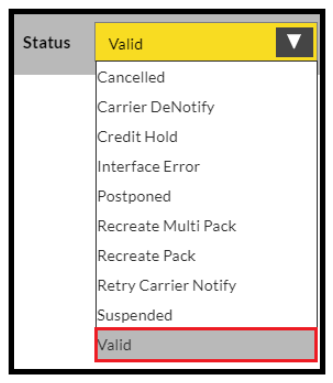
Select 'Valid' and confirm.
The order should now task up as expected.
Method 2
This can be used when you have one or multiple orders with 'Interface Error'
On the Shipment Summary screen select 'Change Status.'
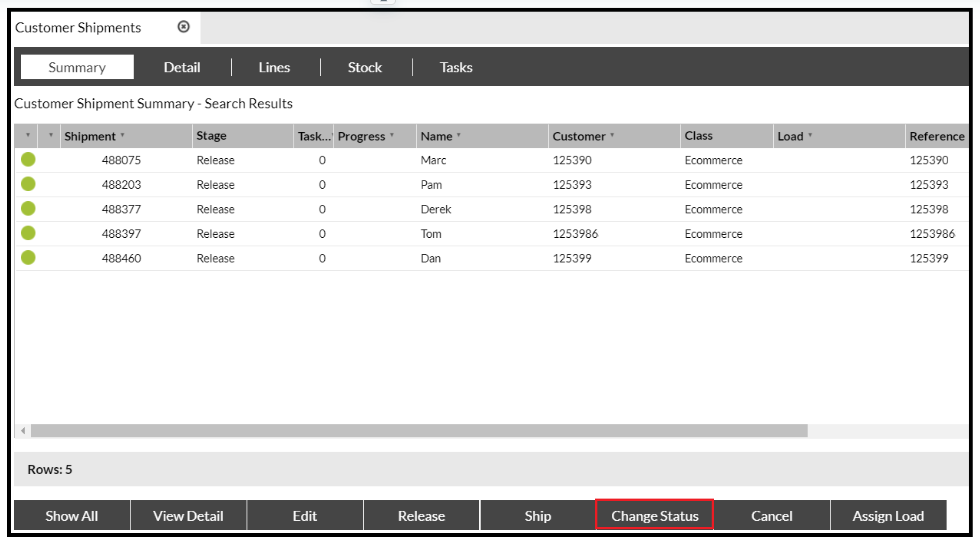
This will bring up a box on the screen:
Select the top shipment and drag the shipment into the box, (you can hold the shift key and highlight all of the shipments to drag across if required).
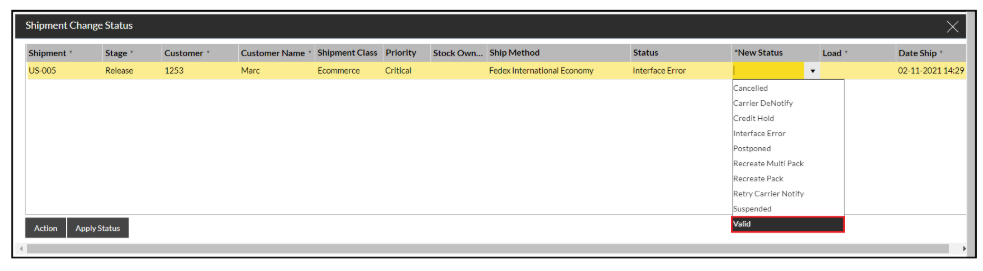
Once the shipment/s are in the box, click in the column under 'New Status.'
This will display a drop down box which should default to Valid.
Continue this with all records, click away from that column (maybe click on the 'Stage' header), the 'Action' button should now be visible to be used.
The orders should now task up and be able to be progressed.