
Tasks may be 'Suspended' for various reasons, for example, if your organization does not want the shipment to be picked at a particular time.
To unsuspend a Task:
- Open the Tasks tab
- Select the Task.
- Click Show Task Action.
- Select Release.
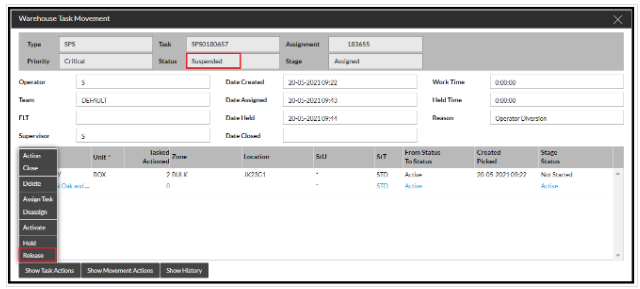
This will unsuspend the task so an RF user with the correct permissions can pick it up.
Note: If you do not have the Release option, speak to your Supervisor or Administrator who should be able to help.