
A Kit is a type of Product that enables you to set up and maintain a Bill of Materials list. Any products included in this list must be valid products in their own right.
If a Kit is requested, the system will generate a picking requirement for all the components parts identified in the Kit list.
How do I use a Kit?
A Kit can be used in two ways:
1 - If there is a shortage on a Customer Shipment, then SnapFulfil will try to break the ordered product down into its component parts to attempt to allocate this stock to the order.
2 - For the shipping of Stock to a third party for assembly into the finished product, which is then received back into the warehouse. This is done by the use of a Contact Shipment or a Value Added Shipment. For more information on Value Add please see our article on creating value added shipments.
How do I Create a Kit
To create a Kit:
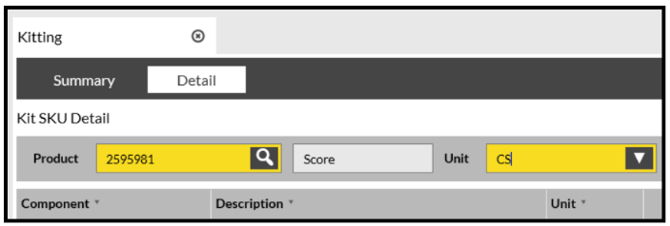
- Go to Master Data - Product > Kitting > Detail.
- Select the Product (SKU) that the Kit is used to make:
- Click New.
- Add in the individual components of the Kit.