
<img src="https://secure.smart-company-365.com/265895.png" style="display:none;">
Skip to content
English
  • There are no suggestions because the search field is empty.

How to Remove an Item from a Receipt

Items may sometimes be on a receipt by mistake and you may want remove them.

This can be done by selecting the line that you want to remove: 
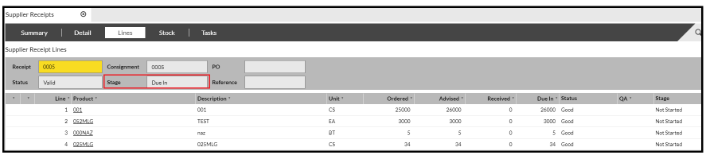
 

  • Press the 'Delete' button and the line will be crossed out:

 

  • Click 'Confirm' and the line will be removed.

You can only remove a product provided the Receipt hasn't gone past the 'Due In' stage