A PACK task may not be created due to the StU not being in the correct location, this can happen if the picking task is incorrectly progressed manually from within the SnapFulfil screens, or there could have been a drop in connectivity which may see the task progress incorrectly.
If a PACK or SASSM task has not been created as expected, the following steps should be followed to recreate the task:
- Navigate to the ‘Detail’ tab of the Shipment you wish to recreate the task for.
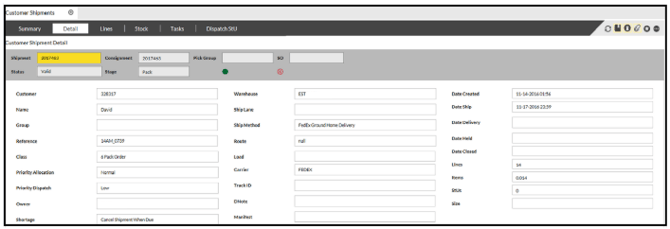
- At the bottom of this screen select ‘Change Status’.

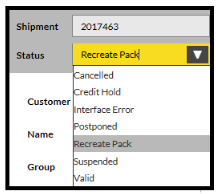
This will open a drop down menu against ‘Status’.
- Select the ‘Recreate Pack’ (in the black bar below).
- Finally select ‘Confirm’ at the bottom of the window.