
Invalid Characters in Addresses
There are certain characters which are not permitted in an address. When these are interfaced in, an 'Invalid Text' error is displayed in the Inbound Message screen, as in the example below.
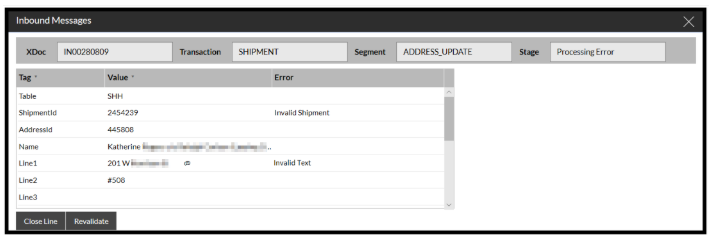
In the example above, it is the '@' character that is invalid.
As a rule of thumb, ASCII characters 48 through to 122 should be avoided. A list of these characters can be found here.