
If the host system has interfaced a file into SnapFulfil, and the file is showing as cancelled, please follow the below steps to investigate.
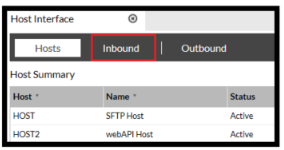
Step 1: Navigate to the Inbound Host
- Go to Activity > Host Interface
- Select the Host where the order was interfaced in from.
- Open the Inbound tab.
Step 2: Finding Cancelled Order
Once you are on the Inbound tab
- Select the Processed radio button.
- Click Refresh

Search for the order that is showing Cancelled:
- Click the magnifying glass at the top of the screen.
The Search popup opens.
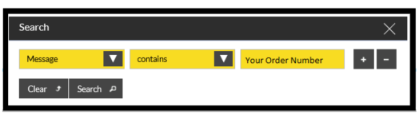
- Enter the search conditions.
- Click Search.
Once you find the record showing the cancelled order:
- Double click the line.
The Inbound Message popup opens.
Step 3: Cancelled Order
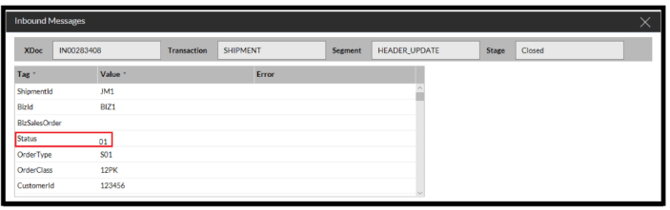
As the status has been interfaced in as 01 the order will automatically be cancelled by SnapFulfil and will have to be re-interfaced under a different Shipment number.