
To Edit the Expiry Date on a Stock Record
- Go to Inventory > Stock by Expiry
- Select the Stock record.
- click the Show Actions button:
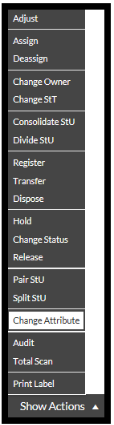
- Select Change Attribute:
The Stock Attribute pop up opens.
- Drag the Stock record into the Stock Attribute window.
- Edit the Date Expiry.
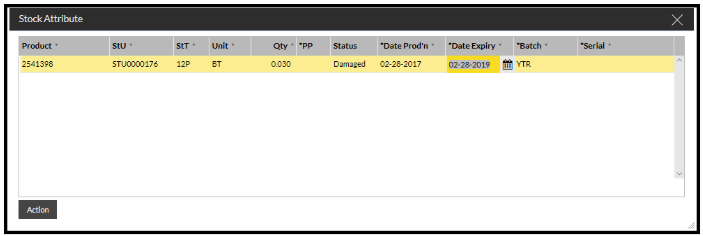
- Click the Action button.
The stock attribute details have been updated.