
RF Operator
To delete an RF Operator the following process should be used:
- Open Master Data Resource - RF Operator Permissions:
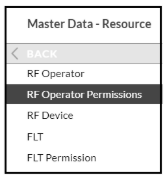
- In both the Tasks and Zones screens ensure the permissions are set to 'X' for all of the Permitted Tasks and Zones for the Operator to be deleted.
- Open the Master Data Resource - RF Operators screen and highlight the Operator to Delete.
- Click the 'Delete' button and confirm 'Yes' when prompted.
The RF Operator has now been deleted, and you now need to delete the User ID.
User
To delete a User the following process should be used:
- Open the Users - User screen and select the User to be deleted.
- Click on the 'Roles' tab, highlight any lines displayed and click 'Delete', then confirm 'Yes' when prompted.
- Click on the 'Permissions' tab, highlight any lines displayed and click 'Delete', then confirm 'Yes' when prompted.
- Click on the 'Detail' tab and click 'Delete', then confirm 'Yes' when prompted.
The User has now been deleted from SnapFulfil, but if the User is also an RF Operator, then the RF Operator process will need to be completed first.
Depending on system setup the user may appear as 'Purged.'
Don't worry if this is the case, the user will not be able to log in and the record will be fully deleted when the relevant process runs (usually over night).