
The process to create new FLT Permissions is as follows:
- Log onto SnapFulfil and select Master Data – Resource - FLT
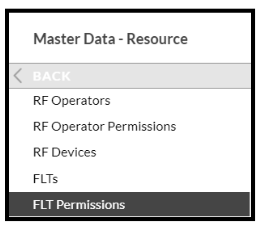
- Ensure the FLT already exists and select 'FLT Permission.
- In the ‘Tasks’ accordion, select the required FLT and click ‘Edit’.
- Set a tick against the tasks that the FLT is to be permitted.
- When all the details have been entered click the ‘Confirm’ button.
- Repeat the above process in the Zones and Bays screens.
Notes:
The permissions in the Bays screen should only be set where the FLT Type is Narrow Aisle or Very Narrow Aisle as this will keep the FLT within the bay where possible.
For all other Types the entries in the Bays screen should all have red crosses and this will allow the tasks to be issued correctly.
This should be repeated for each FLT required.