
If you need to cancel shipments from the system which may have been incorrectly added then please follow these steps:
- Go to the Dispatch screen and select either Due out or Released:
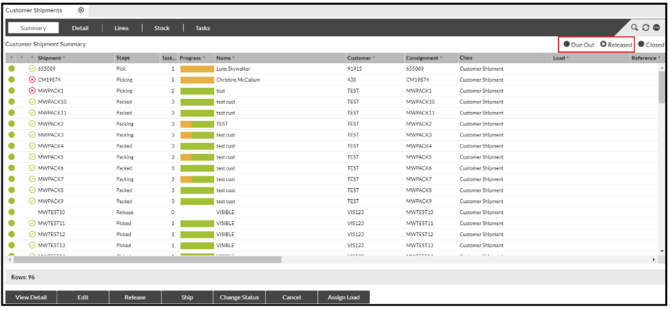
- Press Cancel:

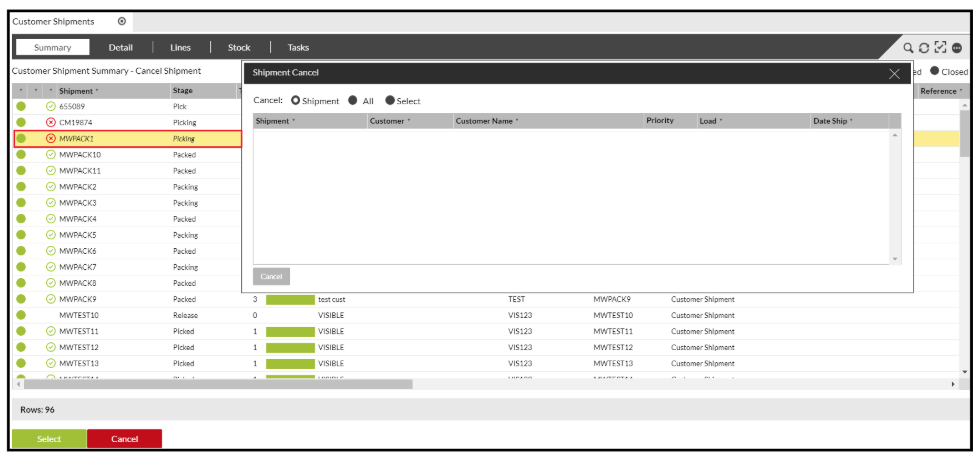
- In the Pop-Up Box, select either Shipment', 'All' (everything), or 'Shipment' (select from the list in Shipments Summary) or 'Select' (opens a new search for a specific window within the Pop-Up box).
You can then either, delete single shipments by dragging them in from the screen behind, or you can select to cancel them en-bloc.
- To do this, click on the first shipment you wish to Cancel (in this instance MWPACK1):
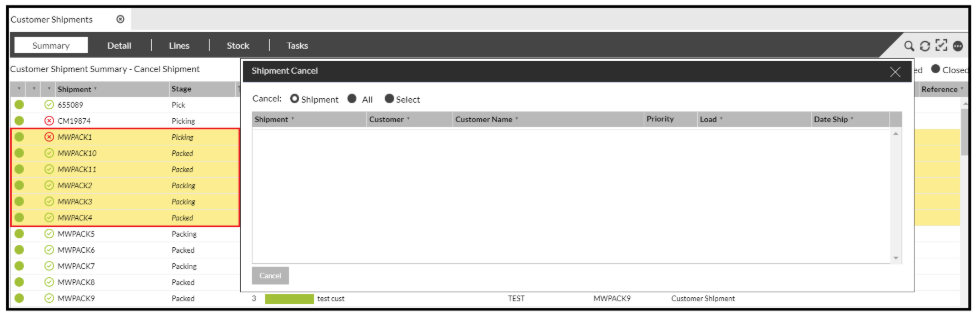
- Scroll down until you find the last shipment you wish to cancel, but before you select it, hold down the shift key: (You will now see that a big chunk of shipments has been highlighted in Yellow):
- Drag these all into the Pop-Up box.
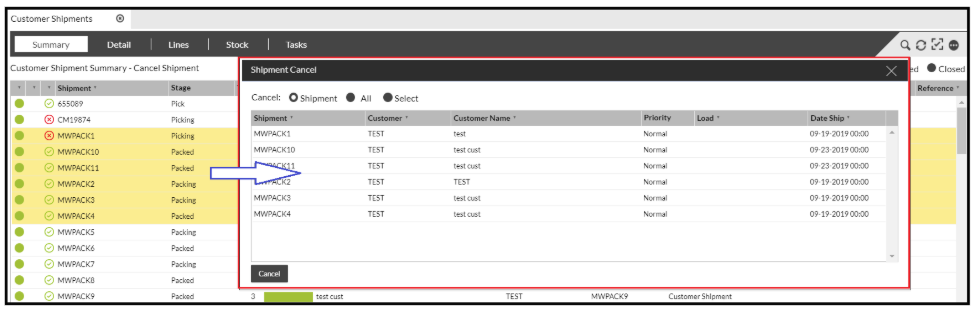
- Press Cancel.
This will now cancel the highlighted shipments.