
Sometimes you may have the need to cancel a Shipment, if this shipment is on a Consignment when you cancel it then the whole consignment will be cancelled.
To stop this from happening you will need to remove the Shipment from the Consignment, to do this follow the steps below:
Open the Consignment screen and select the Shipments tab:
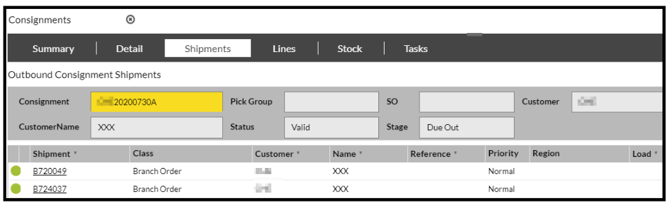
Highlight the shipment you wish to remove.
Select the 'Remove Shipment' button at the bottom of the screen and 'Confirm.'
This will remove the shipment from the Consignment.
If you now open up the Shipments screen and search for the shipment that you have just removed:
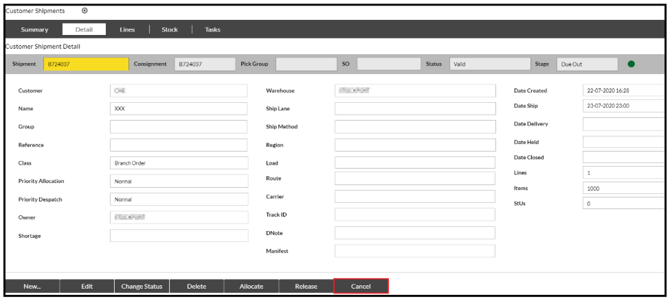
You can now cancel this shipment by pressing the 'Cancel' button on the Detail screen.