
The operation may need to assign a certain task to a certain operator. To do this the Operator needs to be in Automatic Mode and have the authorization to the Zone and Task Type.
To assign the task to an operator you have to double click the task. This will open the Warehouse Task Movement screen below.
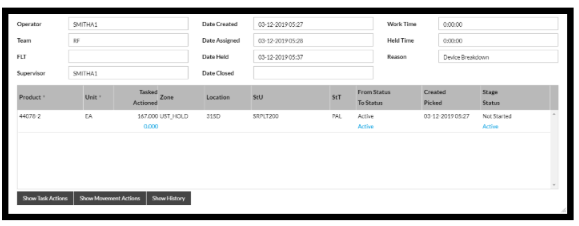
Click on Show Task Actions and the below menu will appear.
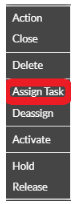
Select 'Assign Task.'
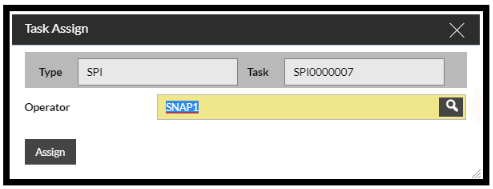
The operation can then select an active operator for a task from the selection box or type the operators name. Only active operators who are working in Automatic mode can be assigned tasks this way. Once you have selected your operator click Confirm as below.

Once the operation has assigned the task to an operator that operator will be given the task next.