
If you come across any instances where the Dispatch Note and Ship Manifests print out blank then generally this will be caused by the Ship and Invoice boxes on the Address screen not being ticked.
These need to be ticked in order for SnapFulfil to know that the documents need populating and printing.
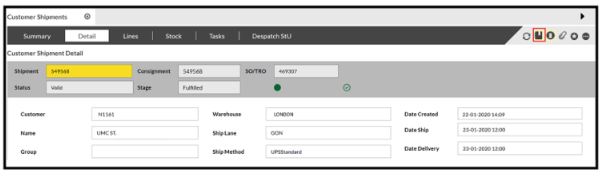
In order to check this you will need to access the Order and on the Details screen select the Binder (Address) icon:
This will bring up the address details:
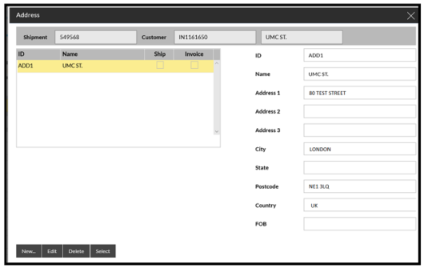
As you can see, the 2 boxes under Ship and Invoice are both blank, this will mean that the documents will print blank.
You can update this by highlighting the line on the left and and clicking on 'Select'
You will then be able to select the 2 boxes. Do this and then confirm:
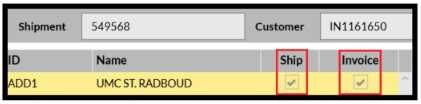
The 2 boxes are now ticked and your documents will now populate.