To do this you need to go to Inventory > Stock by Storage Unit and select the Stock tab.
Select the magnifying glass  and enter your StU:
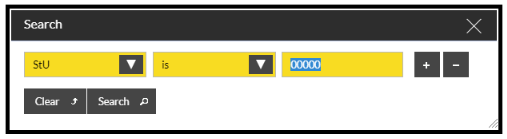
Click on Search and this will display the stock and quantity you have in your chosen StU:


To do this you need to go to Inventory > Stock by Storage Unit and select the Stock tab.
Select the magnifying glass and enter your StU:
Click on Search and this will display the stock and quantity you have in your chosen StU: