
The interface errors are viewed in the Activity - Host Interface topic. This contains all of the interface messages that are sent to and from SnapFulfil.
To view the messages that have been set to error, in the 'Hosts' tab click on the 'Host', click on the 'Inbound' tab and then the 'Errored' radio button.
To view a specific error for a Receipt or Shipment apply a search as follows:
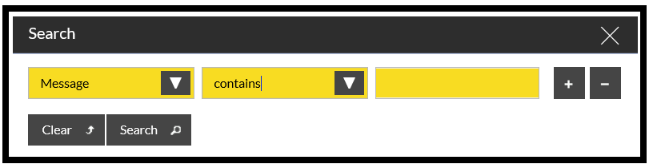
In the last field, enter the required Receipt or Shipment ID and press 'Search'.
All of the Interface records that are in error which are associated to the Receipt or Shipment will be displayed.
When the messages are displayed, highlight the required message and click 'View Details'.
This will then display a pop-up box with all of the fields shown, and one (or more) of the fields in the third column will display an error message against the field that has failed the validation.
The table below details some of the common errors that are returned by SnapFulfil.
| Error | Description |
| No Supplier Found | The Supplier ID sent down does not exist on SnapFulfil. This will need to be added into Master Data - Site - Suppliers, then the line can be re-validated. |
| Invalid Order Stage | The Shipment that is trying to be updated is at a stage that does not allow updates (normally once the Order has been released). |
| No Product Group Found | The value for Product Group 1 or 2 does not exist on SnapFulfil. This will need to be added into Master Data - Product - Product Groups, then the line can be re-validated. |
| Country='CHECK_CODE' | The value for the Country does not exist on SnapFulfil. Contact the SnapFulfil Service Center for the required value to be added, then the line can be re-validated. |
| No Carrier Found | The Carrier ID sent on the interface does not exist on Snapfulfil. This will need to be added into Master Data - Site - Carriers, then the line can be re-validated. |
| Invalid Key | The field that has been sent down should be populated but is not. This information will need to be amended on your Host system and the interface message resent. |
| MANDATORY | The line that this is against is a mandatory field and no data has been sent. The Interface will need to be updated to populate this field and resent to Snapfulfil. |
| No Product Found | The SKU being interfaced does not exist on Snapfulfil. This may be due to it not being able to be processed due to another associated record (e.g. Product Group) failing the interface validation and therefore the SKU cannot be created. |
| Depending if there are other errors, these will need to be corrected and then the SKU can be reprocessed. | |
| If there are no other errors associated then the SKU will need to be added either manually or via an interface message from your Host system. | |
| Invalid Receipt | This is normally seen for Receipt Lines when the Receipt Header interface has also been set to 'Error', so the Receipt Lines cannot be created. |
| Rectify the errors in the Receipt Header, and once that has processed re-validate the Receipt Lines. | |
| XDoc='LOAD_STAGE' | The Load that is trying to be updated is at a stage where an update is not allowed. |